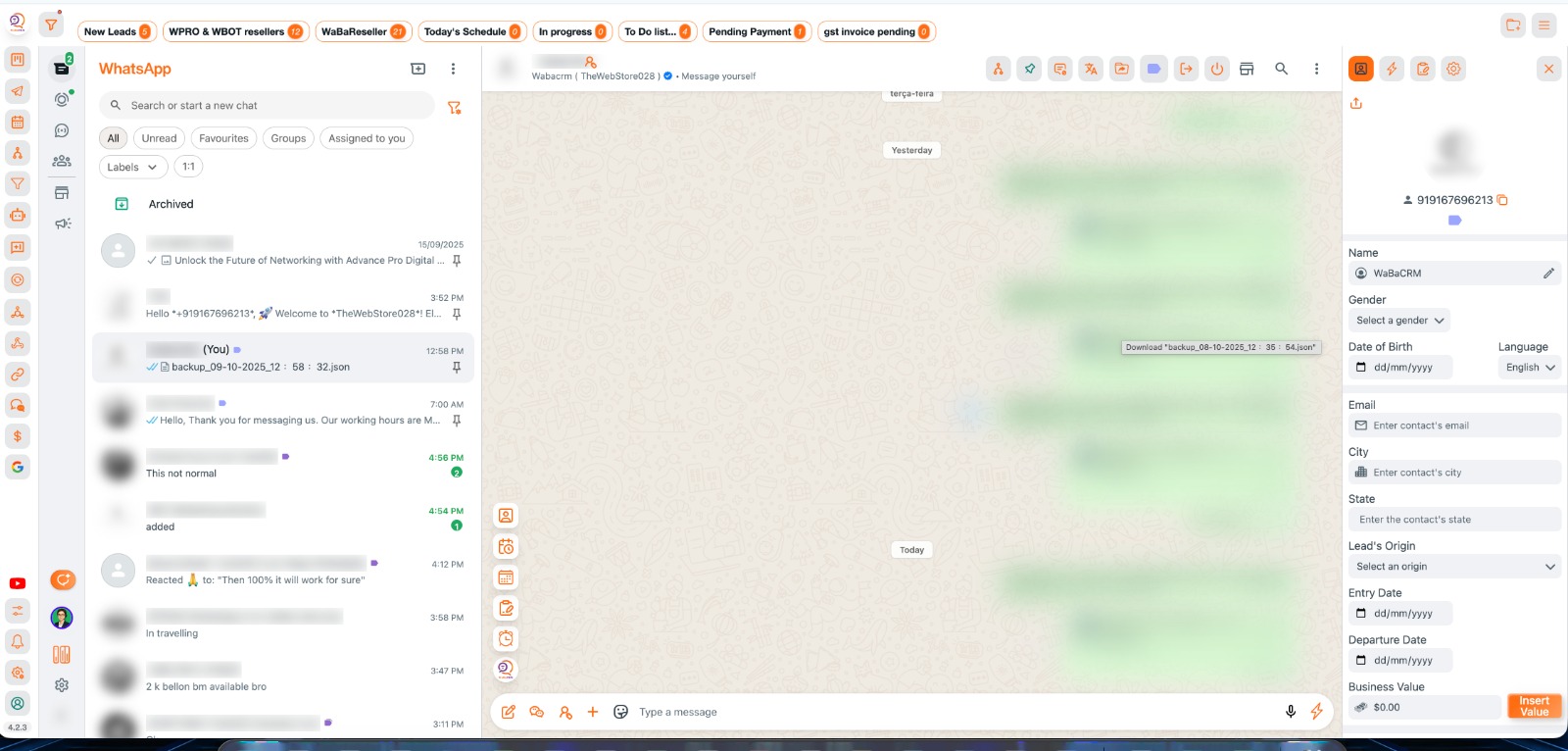
Step-by-Step Installation & License creation Guide |||
Follow these 9 simple steps to get WaBaCRM running on your system |||
1
Sækja viðbót og kennslu |||
Download the WaBaCRM extension and watch the setup guide |||
Download the WaBaCRM.zip file from above download Button |||
Extract the zip file to a permanent location on your computer |||
Important: Keep the folder in a fixed location (like Desktop/WaBaCRM) to avoid future errors |||
2
Smelltu til að hlaða niður |||
Virkja þróunarham |||
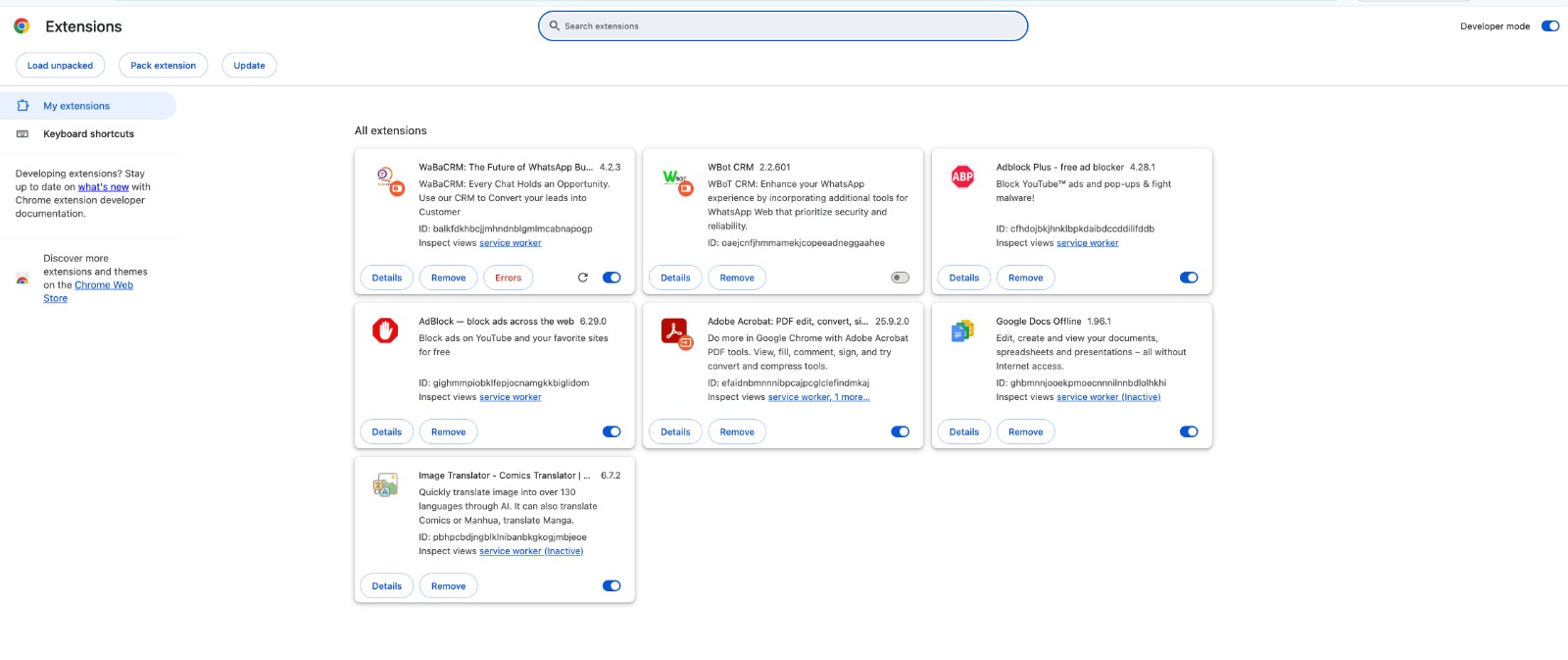
Activate Chrome's developer mode for extension installation |||
Ýttu á Enter til að opna viðbætur síðu |||
3
Developer mode must be enabled to load unpacked extensions |||
Hlaða eftirnafn |||
Settu upp WaBaCRM viðbótina í Chrome |||
WaBaCRM icon should appear in your Chrome toolbar |||
4
Extension successfully loaded when you see WaBaCRM icon in toolbar |||
Skráning og uppsetning reiknings |||
Sign Up to https://user.xxyz.be/signup.php with your Full name, Email address and WhatsApp Number.
Sign Up to our portal with your Full name, Email address and WhatsApp Number.
Check your email, and sign in with your credentials at https://user.xxyz.be/login.php.
5
Make sure you add correct Email Id as login password will be sent to your email id only.
|||
Check your email, and sign in with your Login and password received over email.
|||
Stjórnborð og leyfisstjórnun |||
6
Hafðu umsjón með leyfum þínum frá mælaborðinu |||
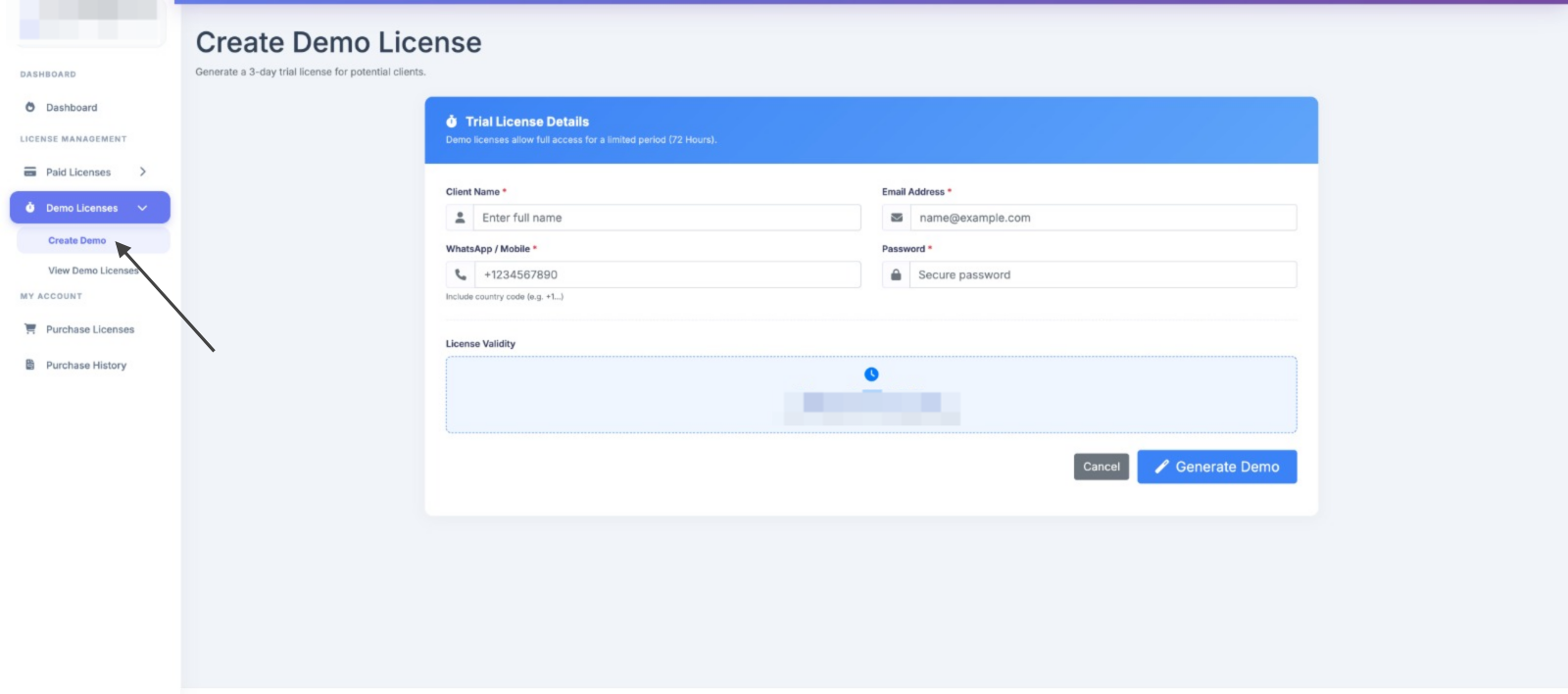
You will see Dashboard, This is your complete Dashboard to Create Demo & Paid License and manage it.
|||
Farðu í Demo License, Create Demo License.
|||
7
|||
Kaupa greitt leyfi |||
Uppfærðu í úrvals eiginleika |||
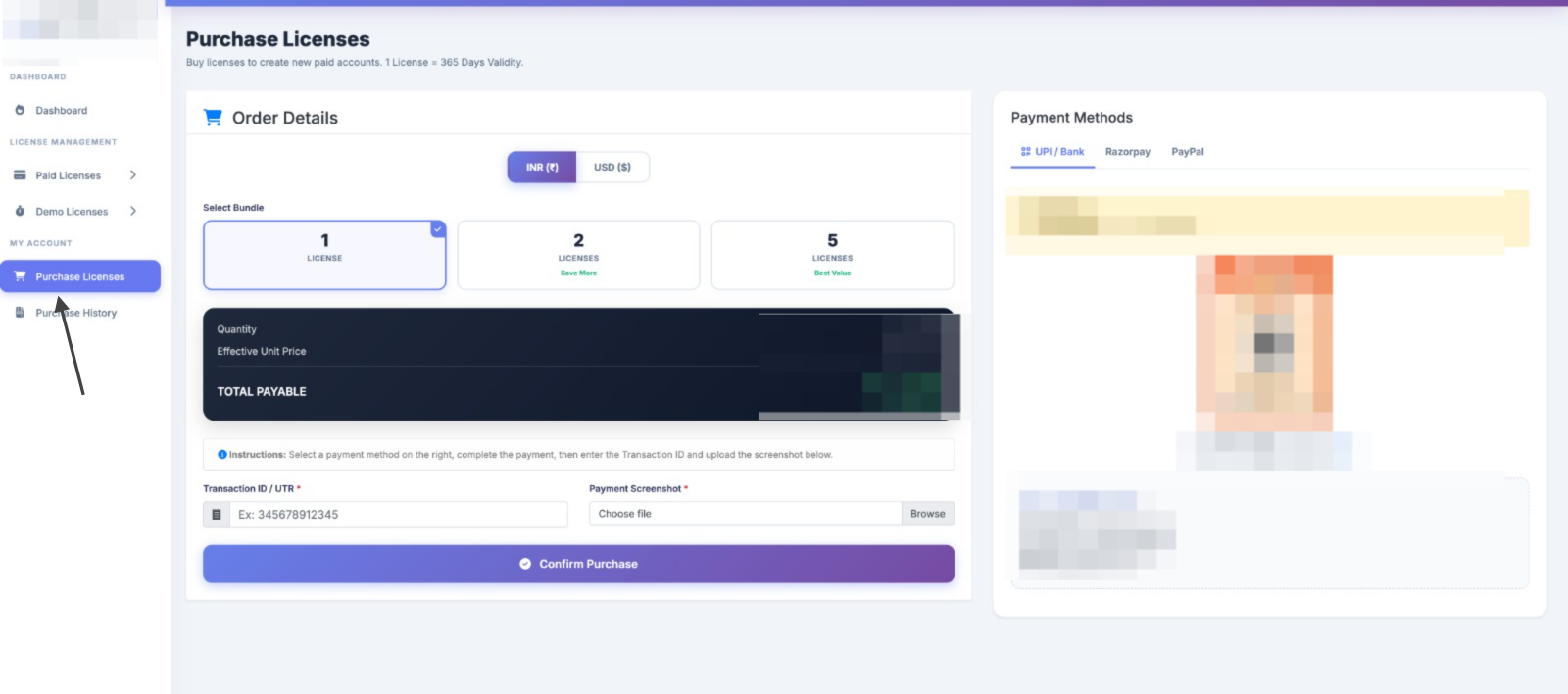
Select required Qty and Preferred Payment gateway (UPI, RazorPay, or Paypal) |||
8
|||
Within 2 to 6 working hours your Purchase request will be Approved.
Stjórna og umbreyta leyfum |||
Umbreyta og búa til leyfi |||

9
|||
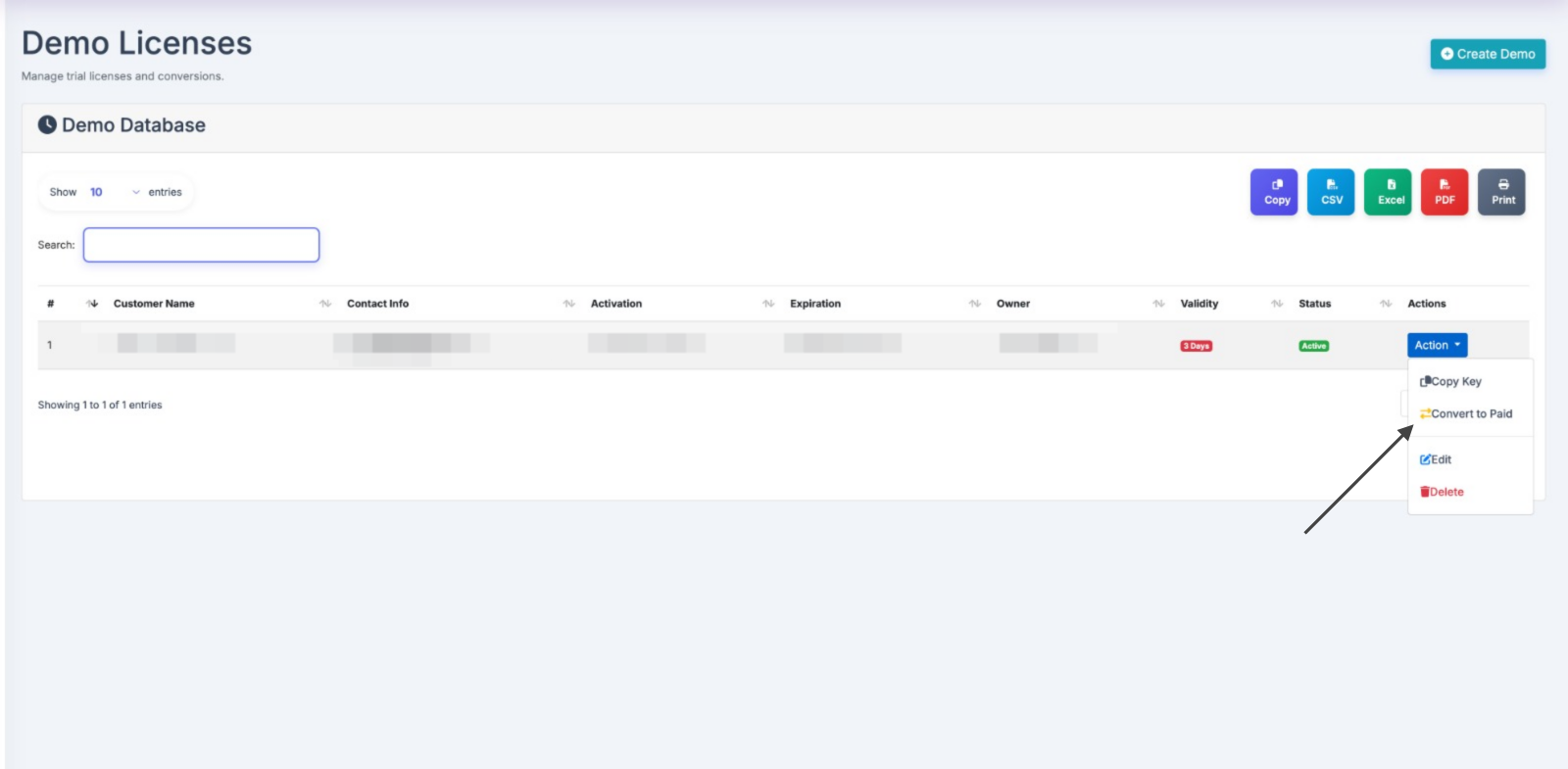
Go to Create Paid License tab and generate Paid License.
|||